Your whole family.
At a glance.
Browse it on your phone, fill it in together, and print it as a poster for the wall. Private and invite-only, with no ads and no data selling.
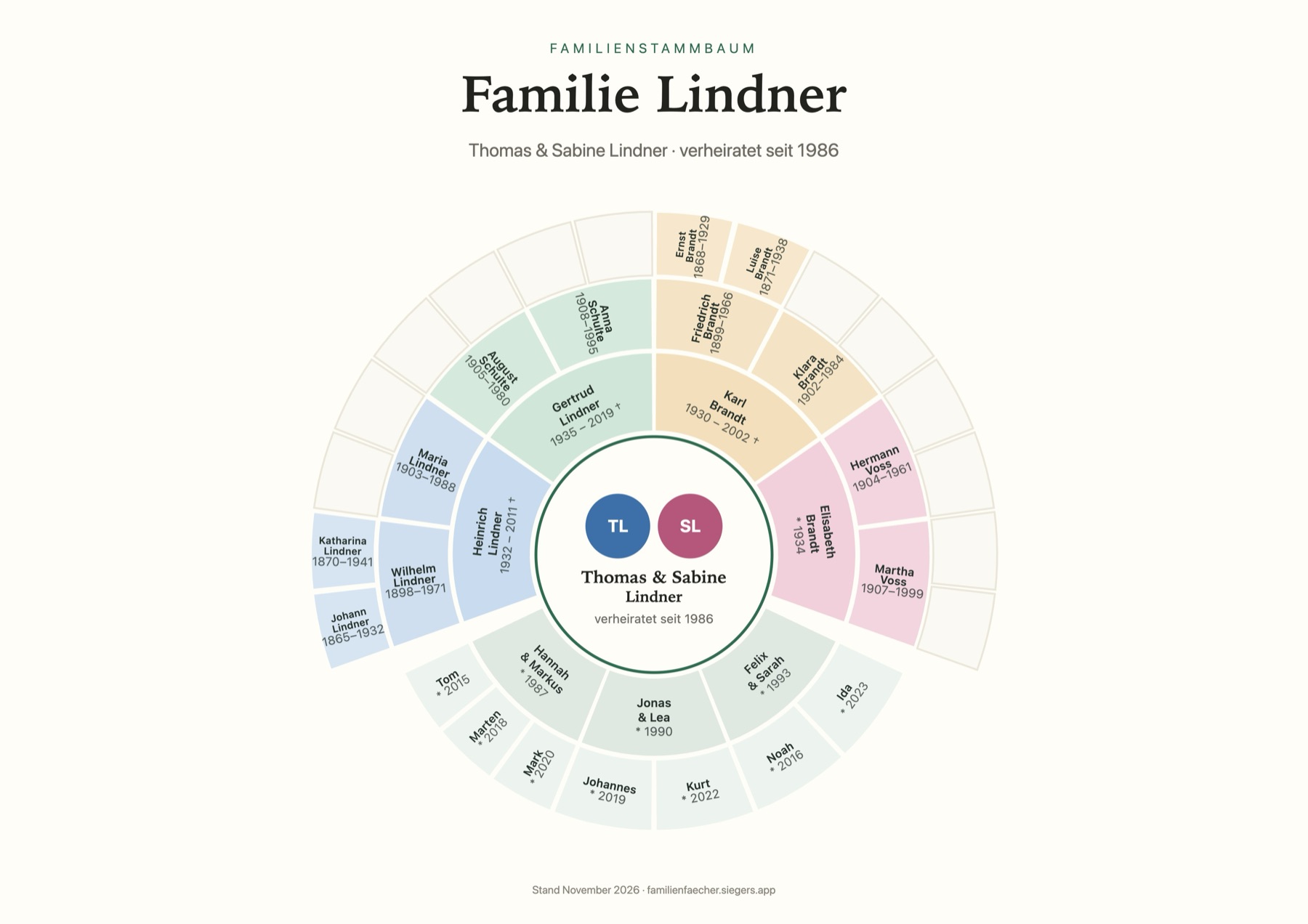
A family tree the whole family loves
Genealogy sites are built for researchers. HeritageFan is for everyone else in the family: the ones who love to browse, remember and tell stories.
For everyone in the family
No genealogy experience needed. On a phone, HeritageFan opens like an app. Tap a person and you're in.
Private to your family
Only people you invite can get in. No ads, no tracking, and photo location data is removed when you upload.
Something to hold
The poster maker turns your tree into a poster with photos, or into a birthday calendar. A gift for Christmas, Thanksgiving or a big birthday.
What HeritageFan does
Screenshots show the German version of the app with a fictional sample family.
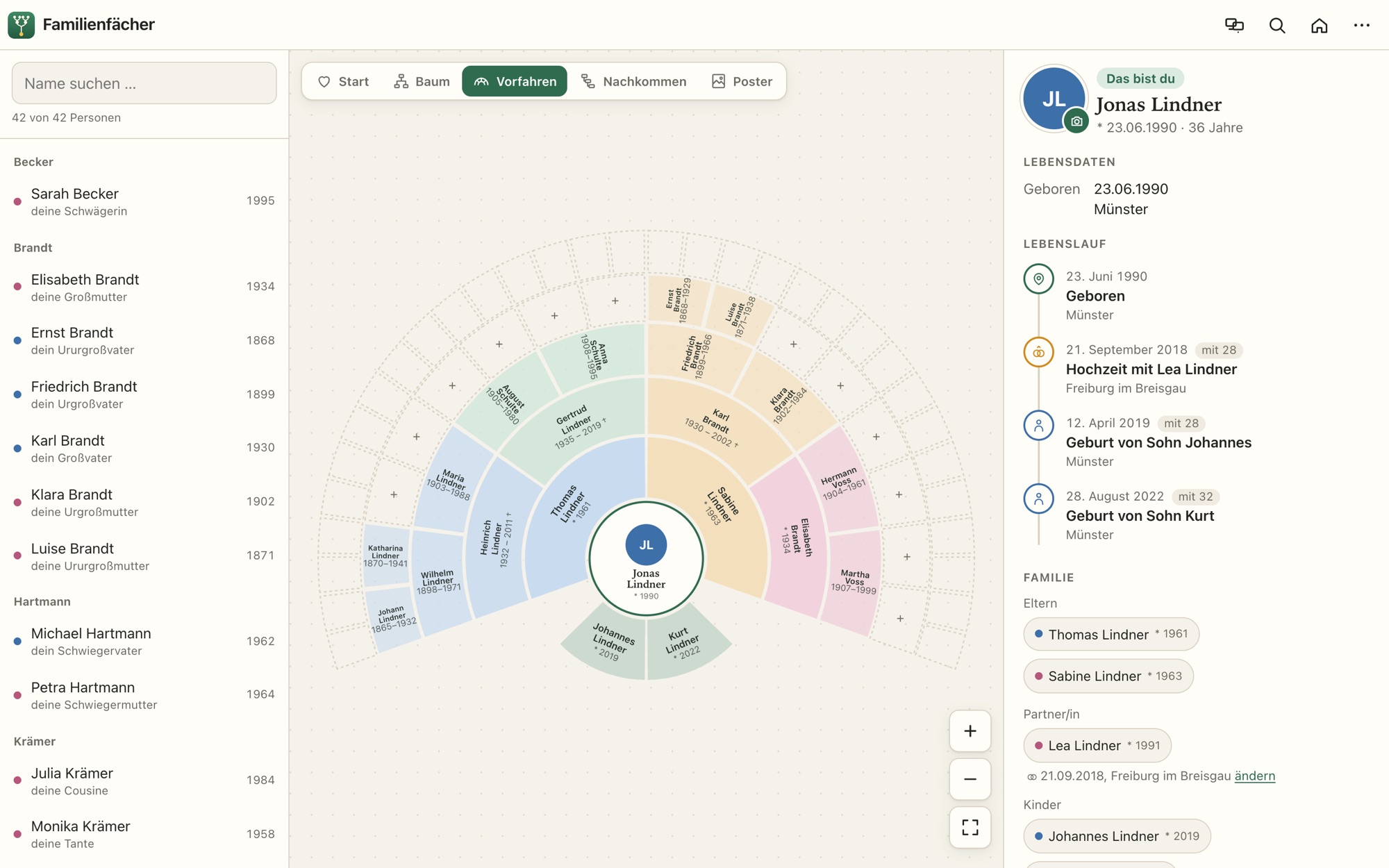
Ancestors above, children and grandchildren below
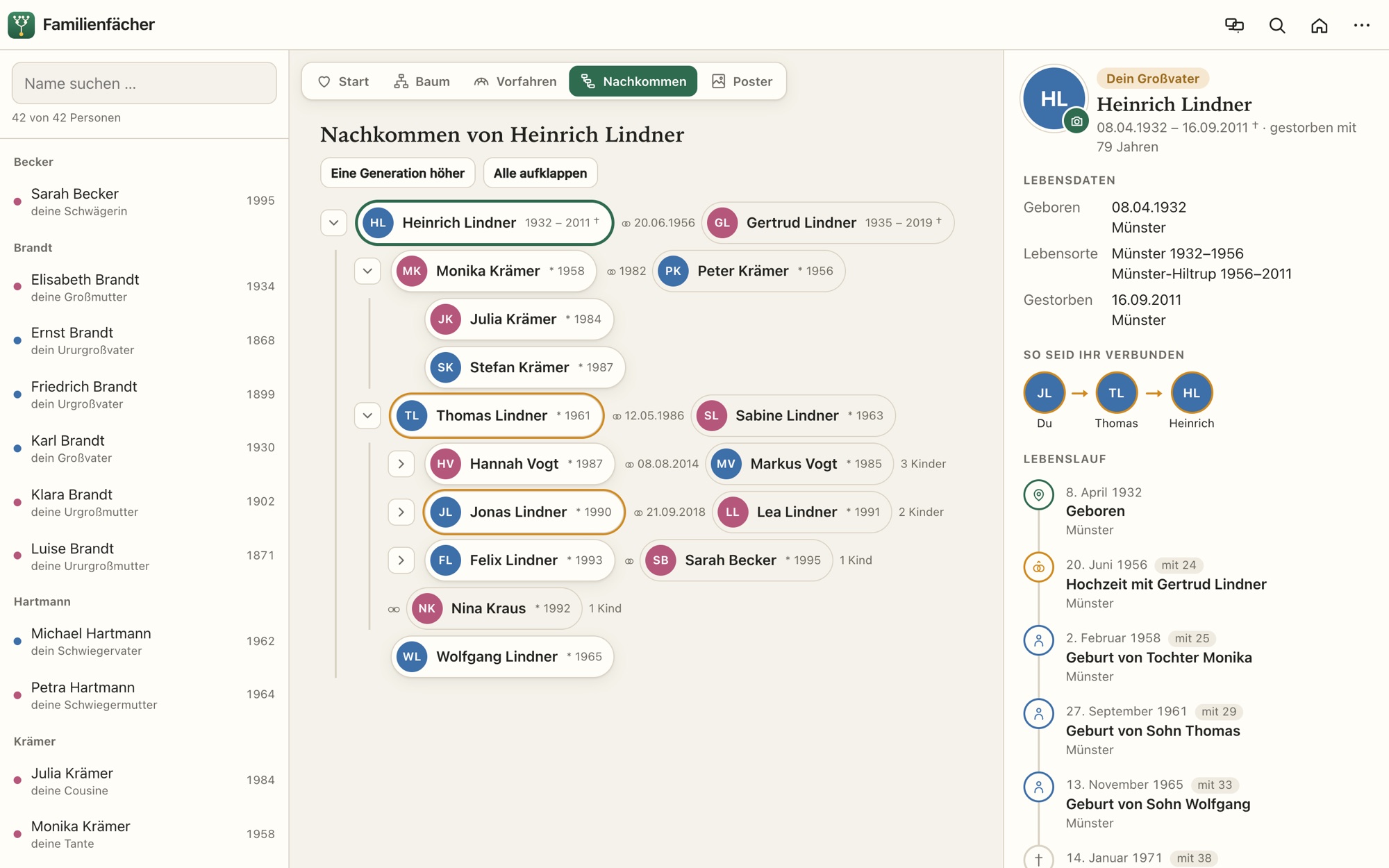
Switch between tree, ancestors and descendants. Ancestors appear as a fan chart. One tap on a person shows everything about them, and when you jump from person to person, the cards glide to their new place, so you always know where you are. The list of people shows how each one is related to you.
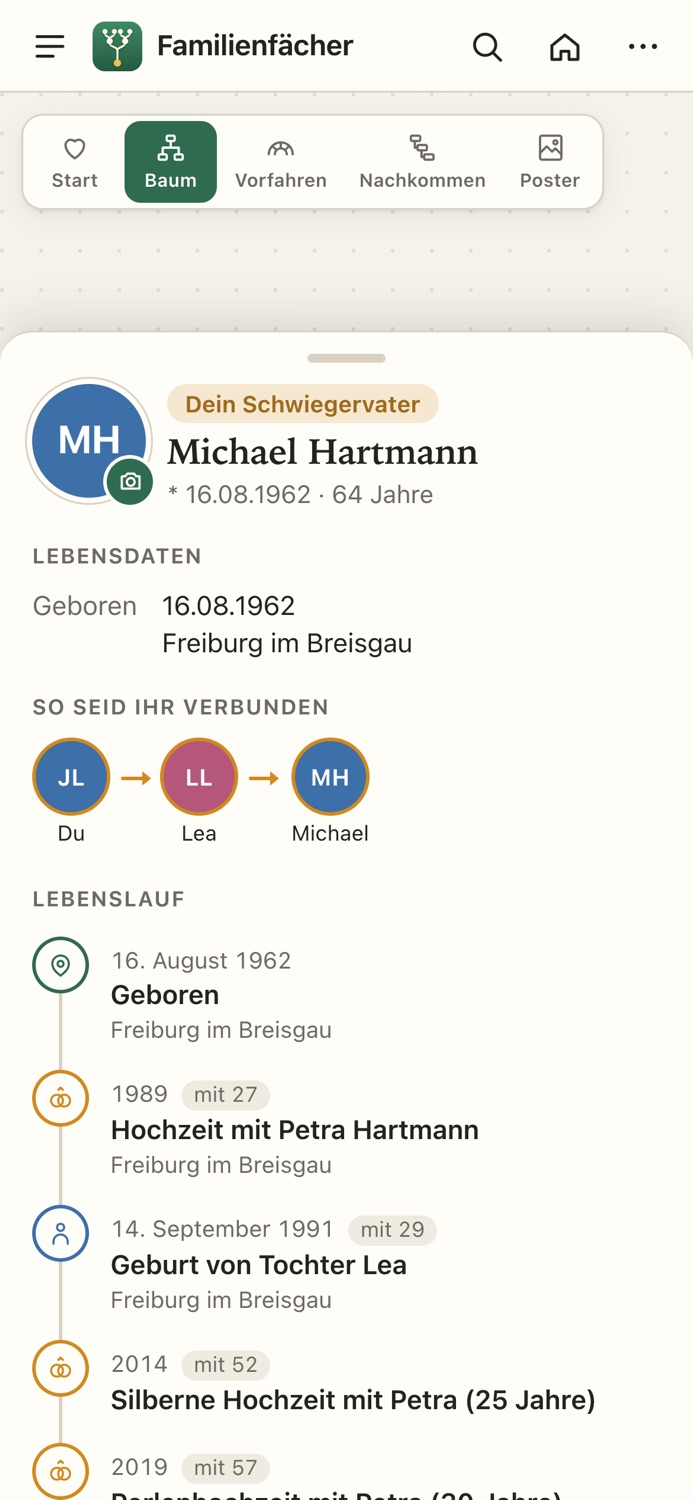
Every relationship in plain words
Next to every person, HeritageFan tells you how you're related and shows the path through the people in between.
At Grandma's kitchen table
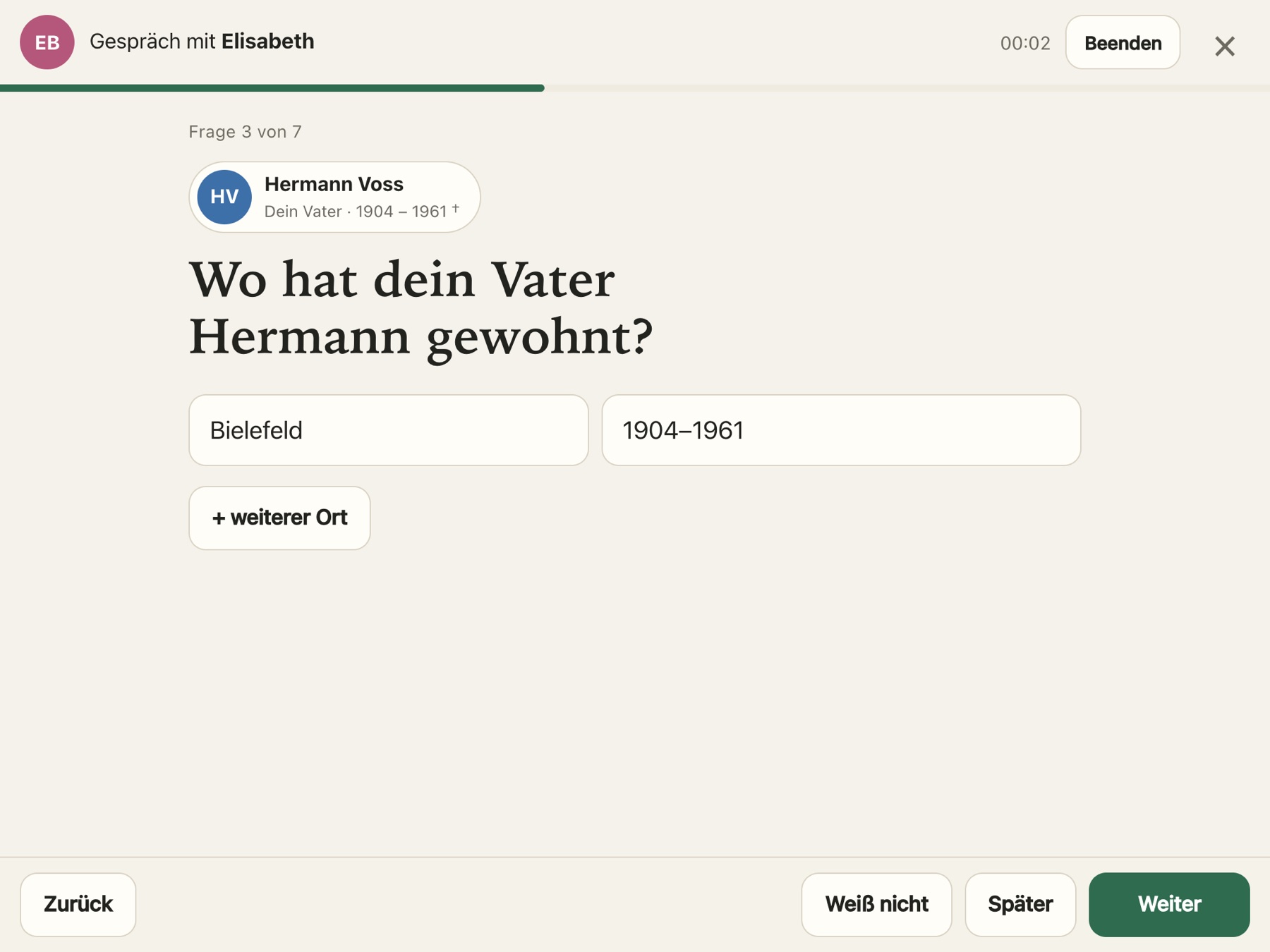
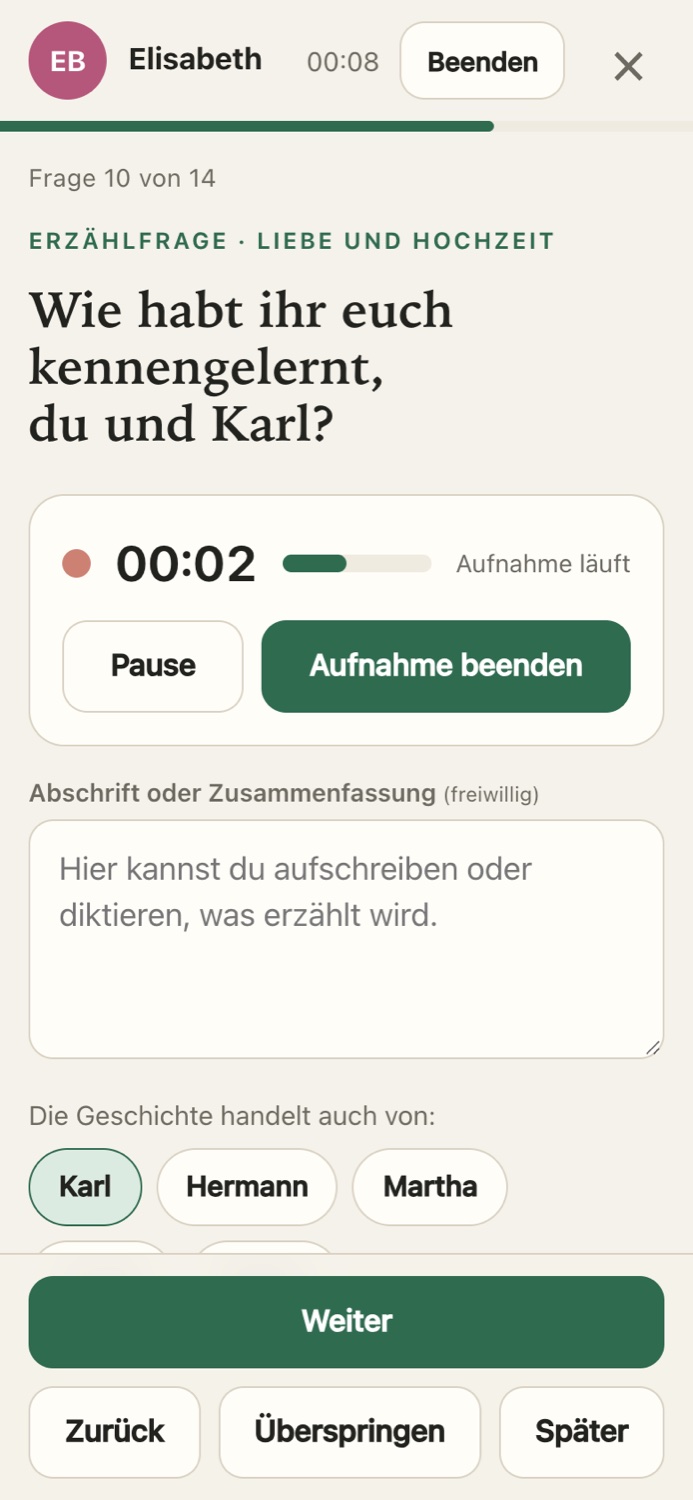
The older generation knows the most, and they won't sign up for anything. In interview mode you sit next to them with an iPad. HeritageFan asks about what's still missing from the tree, and you type in the answers. The home screen suggests who's worth talking to next.
Along the way come story questions. With Grandma's permission you can record her answers, so her voice stays with the story. Her children and grandchildren and their partners can listen to it.
At the end you review everything before it goes into the tree. Every detail shows who told it. If a mistake slipped in, you can correct the interview later.
Life stories
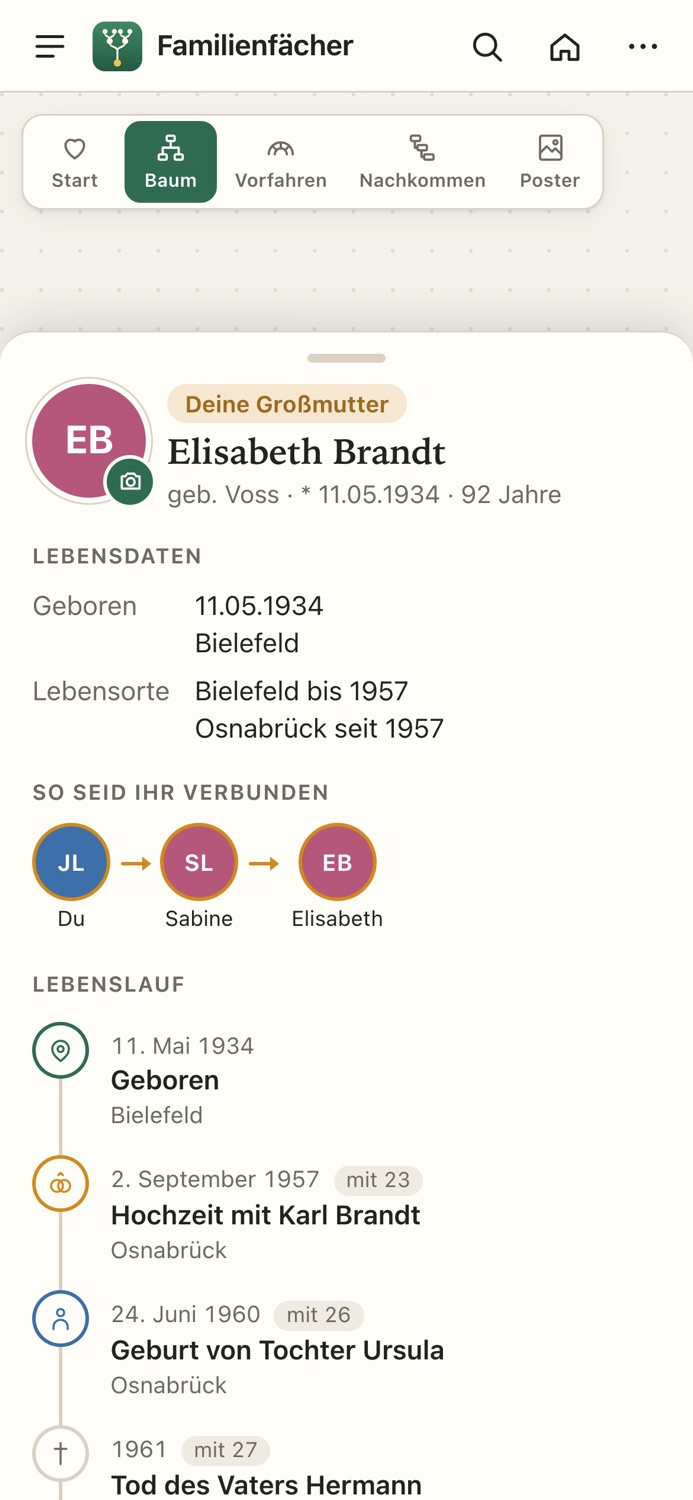
Birth, marriage, children and the places someone lived turn into a timeline on their own, along with silver and golden anniversaries and the losses someone lived through. Add photos, sources and stories, like Grandma's apple pie recipe. If you're not sure a source really belongs to this person, mark it as uncertain.
A poster in four steps
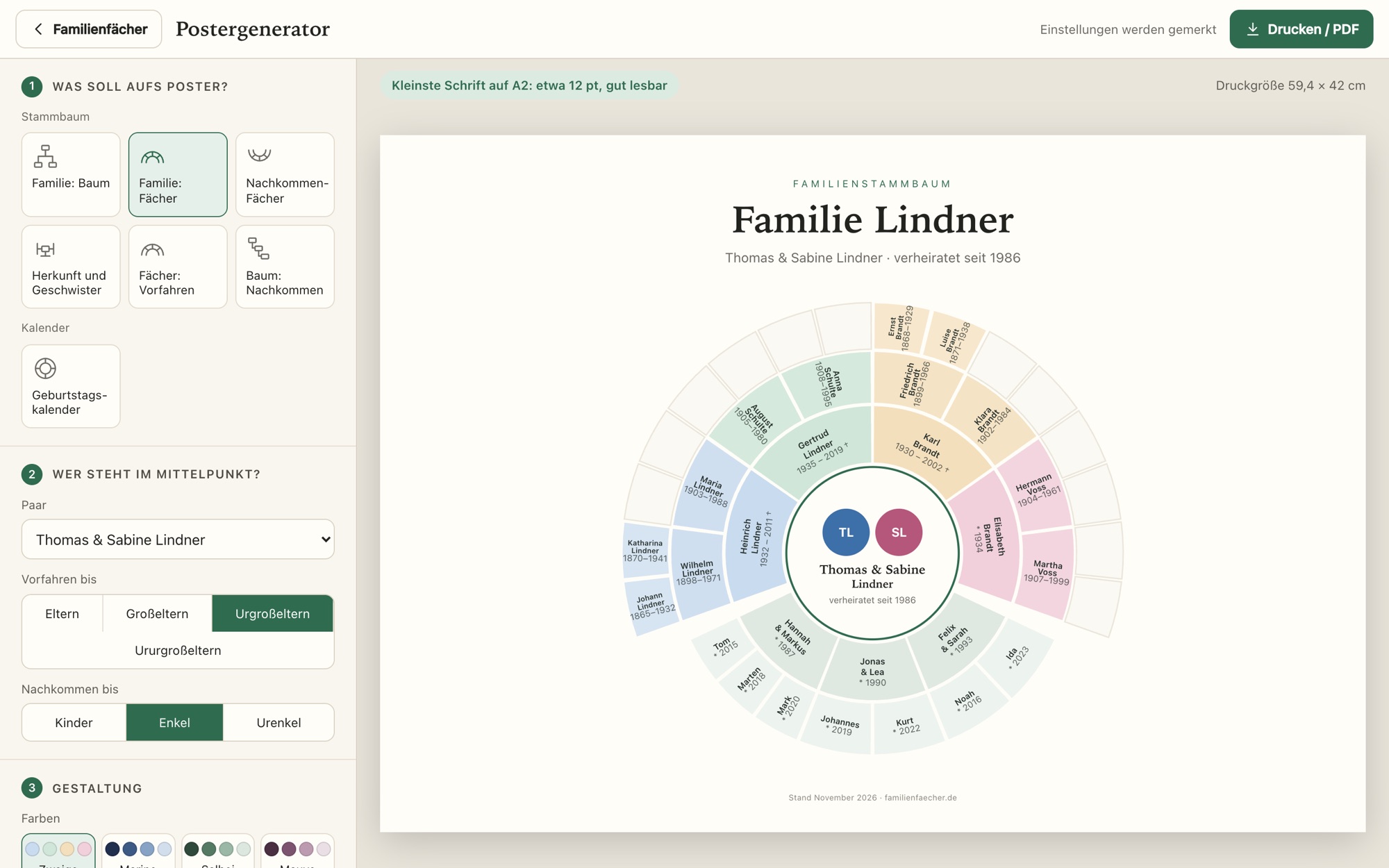
In the poster maker you pick the kind of poster, the people in the center, the colors and the paper size. The large preview shows the result right away.
Choose an ancestor fan chart, a fan of one couple's descendants, the family as a tree or a fan, both parents' sides with all the siblings, or a birthday calendar. The fan chart comes as a half circle, in a single color fading outward and with numbered generations, with photos if you like.
Sizes run from A4 (about letter size) to A1, and the poster maker tells you from which size the text is easy to read. Print from your computer, or send the PDF from your phone straight to a print shop.
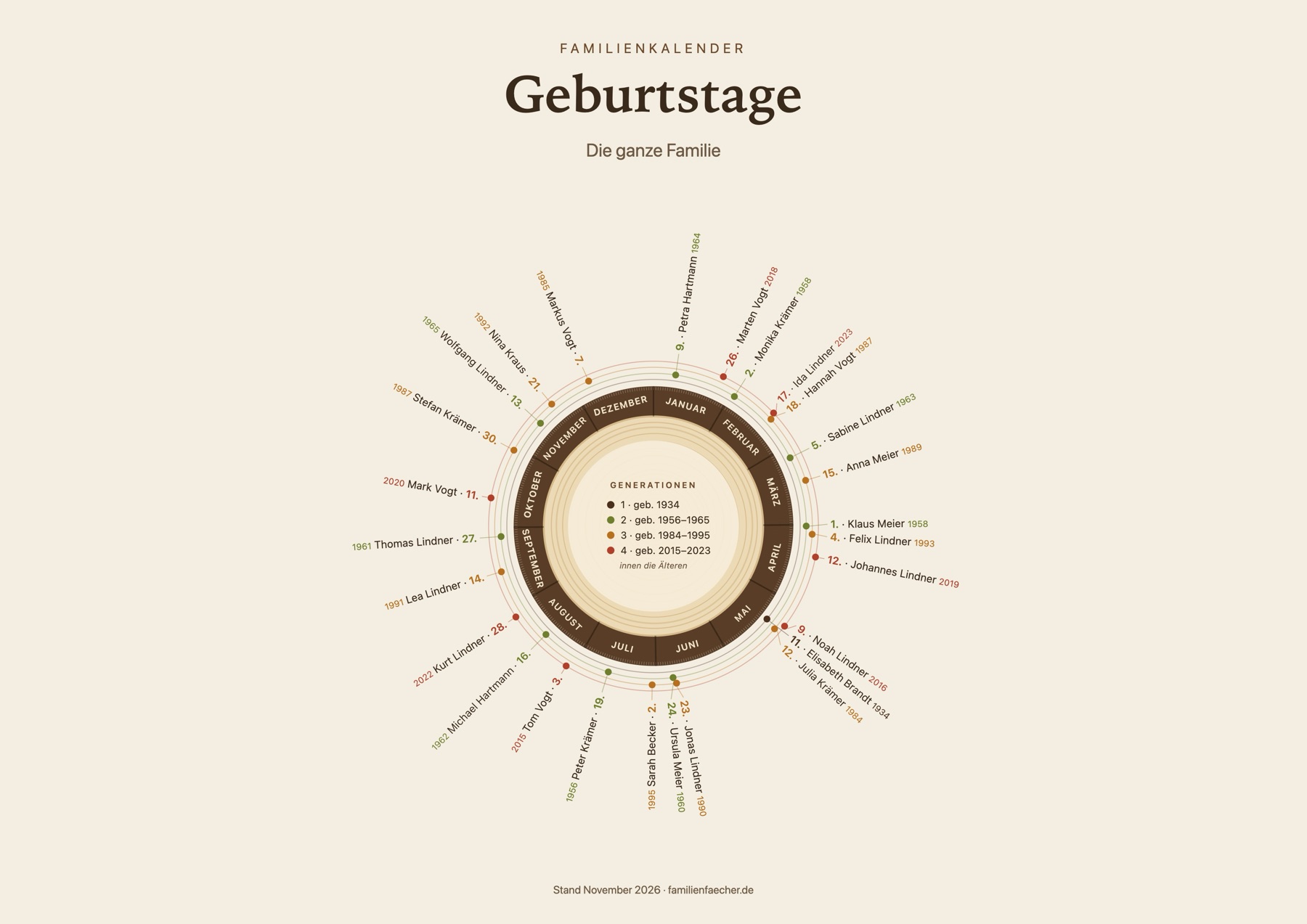
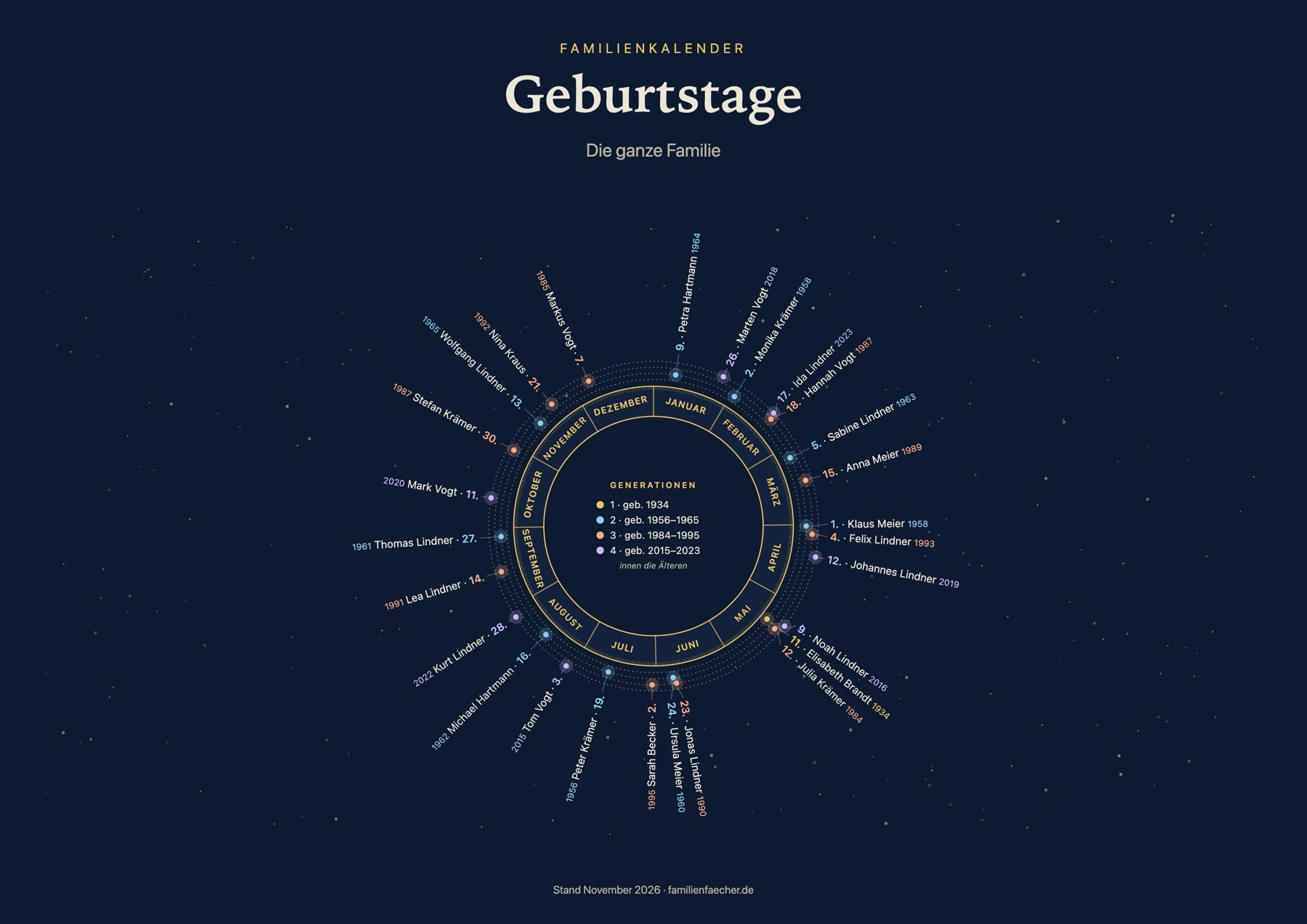
Every birthday on one sheet
The calendar shows the family's birthdays around the year, without weekdays, so it stays right year after year. Each generation gets its own color and its own ring, the oldest inside, the youngest outside.
Pick a tree slice with growth rings, a starry night or a plain month grid, each in four color themes. Birth years and family members who have passed away can be added if you like.
Blended families, divorces, godparents
Divorces, new partners, stepchildren and godparents can be entered the way things actually happened. Nobody has to be deleted because a marriage didn't last.
Private to your family
Each person only sees the part of the family that concerns them.
- Invited family members onlyIf you're not invited, you see nothing, not even names.
- Everyone sees their own familyIn-laws appear with name and dates, but their side of the family stays private.
- Grandparents see all of their grandchildren's familyIncluding the son-in-law's or daughter-in-law's side, so every grandchild's fan chart is complete.
- Stories stay in the direct lineStories and recordings from an interview are visible to the parents, children and grandchildren of the person who told them, with their partners. Siblings, aunts and cousins don't see them.
- Godparents outside the family stay privateCousins and more distant relatives only see “godmother”, without a name.
- Your photo is yoursUpload your own portrait and lock it, so nobody else can replace it.
- You stay in controlWith “View as …” you check what someone will see before you send the invitation.
Hi, I'm Dominik.
I wanted to show my family where we come from for Christmas. I didn't want to put our photos and stories on the big genealogy sites, so I built something myself. That became HeritageFan.
It's just me behind HeritageFan. I keep building it together with my own family in Germany, and I'd love to hear from you.
Dominik
Your own HeritageFan
Soon every family will be able to set up its own HeritageFan. Join the waitlist and I'll let you know as soon as it's ready.
Frequently asked questions
How much does HeritageFan cost?
There's no fixed price yet. Join the waitlist and I'll let you know as soon as families can set up their own HeritageFan.
Someone in my family already uses HeritageFan. Do I need my own?
No, ask for an invitation. Then you share one family tree. Everyone sees their own family there, including their other side, which they can add themselves.
Can I print our family tree as a poster?
Yes. The poster maker offers seven kinds, for example an ancestor fan chart, the family as a tree or a birthday calendar, in sizes from A4 (about letter size) to A1. On a phone it creates a PDF you can send straight to a print shop.
Can we bring over a family tree from another program?
Yes. HeritageFan reads GEDCOM files, the standard format common family tree programs export. People who are already in your tree aren't added twice.
Do I need to be good with technology?
No. Your family uses HeritageFan in the browser or as an app on their phone.
Can we take our data with us?
Yes. HeritageFan exports everything as GEDCOM, the standard format all common family tree programs can read.
My grandmother doesn't have a smartphone. Can she still take part?
Yes. In interview mode someone from the family sits with her and types in what she tells. She doesn't need a device or an account. If she likes, you can also record her answers.
Who can listen to Grandma's recordings?
Her direct line: children, grandchildren and great-grandchildren, each with their partners, plus whoever conducted the interview. Siblings, nieces or cousins can't listen. Anyone being recorded agrees first, and every recording can be deleted.
Does it work on iPhone and Android?
Yes, in the browser and as an app on your home screen. On a computer there's also a large view with a list of everyone.
Who's behind it?
Me, Dominik. I built HeritageFan for my own family and keep improving it.
Write to me
Questions, ideas, or just feedback on HeritageFan? I'd love to hear from you.